


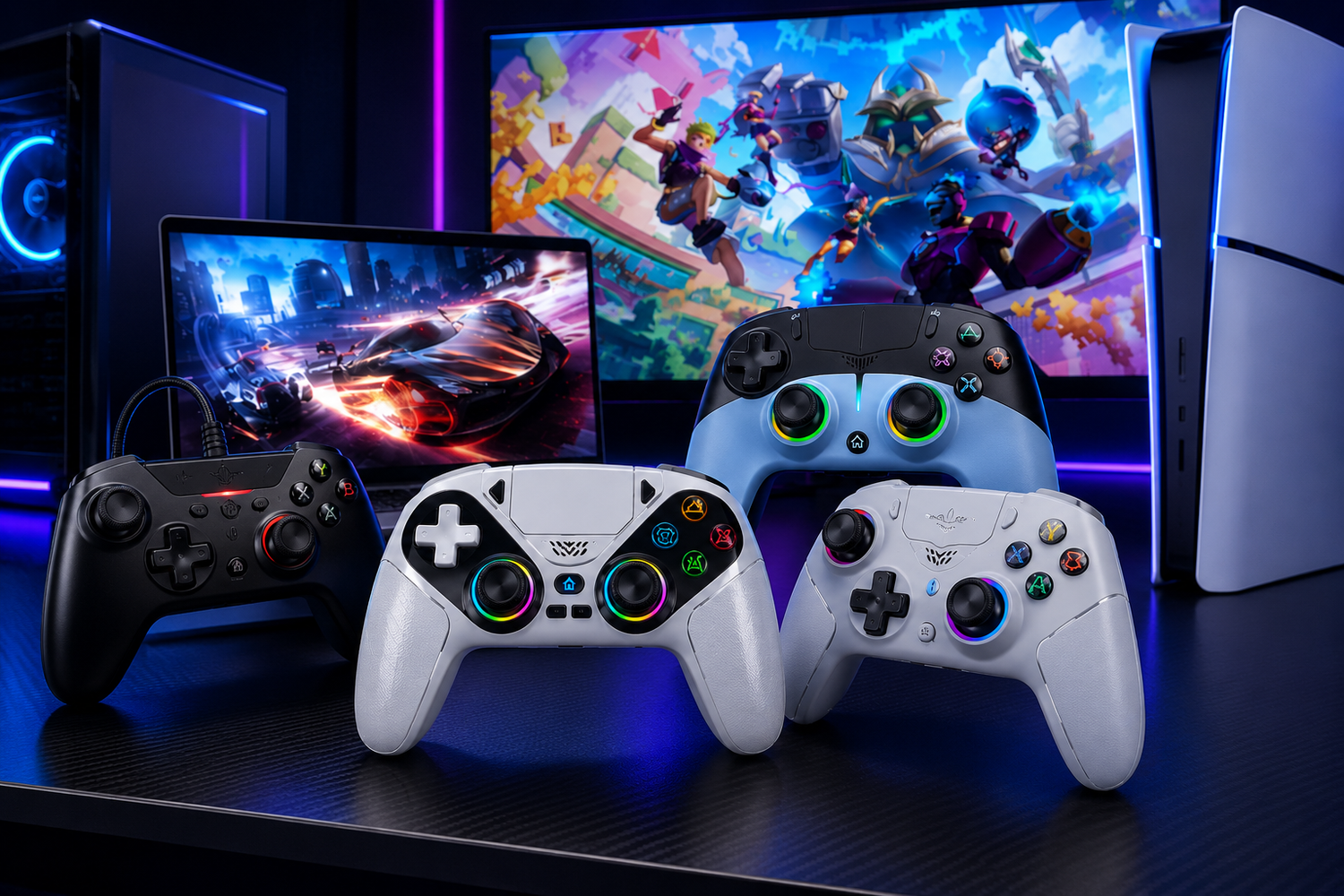
PC gaming gives you incredible flexibility. You can play competitive shooters with a keyboard and mouse, enjoy racing games with a controller, or switch between different gaming styles depending on the title.
But with so many controllers available today, choosing the right one isn't always easy.
Should you choose wired or wireless? Is Hall Effect technology worth paying for? Do you need programmable buttons? What about compatibility with your favorite games?
If you're planning to buy a controller for PC, this guide will help you understand the features that actually matter so you can choose a controller that fits your gaming style, setup, and budget.
Why Use a Controller for PC Gaming?
A keyboard and mouse are excellent for many PC games, but a controller can provide a more comfortable and natural experience for certain types of games.
Racing games, sports games, platformers, fighting games, action games, and many third-person titles can feel more intuitive with analog sticks and triggers.
A controller can also be a great choice when your PC is connected to a large monitor or TV. Instead of sitting directly at a desk, you can relax farther away and enjoy a console-style gaming experience.
The key is choosing a controller that gives you the right combination of comfort, precision, compatibility, and features.
1. Check PC Compatibility First
Before looking at advanced features, make sure the controller actually works with your PC.
Most modern PC gaming controllers support Windows, but compatibility can vary depending on the controller and connection method.
Check whether the controller supports:
• Windows PC
• USB connectivity
• Bluetooth
• 2.4GHz wireless connectivity
• Your preferred gaming platforms
• The games you play regularly
If you also play on consoles, consider whether you want a controller that works across multiple platforms.
A multi-platform controller can be especially useful if you switch between PC and console gaming instead of buying a separate controller for every device.
2. Wired vs Wireless: Which Is Better?
One of the first decisions you'll need to make is whether you want a wired or wireless controller.
Wired Controllers
Wired controllers connect directly to your PC using a USB cable.
They're a good choice if you want a simple setup with no battery charging. They're also convenient for long gaming sessions because you don't have to worry about running out of battery.
A wired connection can be particularly appealing to competitive gamers who prefer a direct connection between the controller and PC.
Wireless Controllers
Wireless controllers give you more freedom and help reduce cable clutter.
They're especially useful if you game from a couch, use a large TV as your display, or simply prefer a cleaner desk setup.
Modern wireless controllers can offer excellent responsiveness, but you'll need to consider battery life and charging options.
There's no universal winner. Choose wired if simplicity and continuous play matter most. Choose wireless if freedom and convenience are higher priorities.
3. Look at Analog Stick Technology
Analog sticks are among the most important components of a controller.
They're responsible for movement, aiming, steering, camera control, and many other in-game actions.
In 2026, technologies such as Hall Effect and TMR sensors are increasingly important when comparing controllers.
Hall effect technology uses magnetic sensing rather than traditional contact-based components. This can help reduce the mechanical wear associated with conventional analog-stick designs.
TMR, or Tunnel Magnetoresistance, is another magnetic sensing technology gaining attention in gaming controllers.
If you're looking for a controller for long-term use, understanding these technologies can help you make a more informed decision.
4. Consider Stick Drift
Stick drift is one of the most frustrating problems a controller can develop.
It happens when an analog stick registers movement even when you're not touching it. In a game, that can cause your character to move, your camera to turn, or your vehicle to steer without input.
No controller technology should be treated as completely immune to every form of wear or failure, but modern magnetic sensing technologies can be an attractive option for gamers who want to reduce the traditional mechanical wear associated with analog sticks.
If durability is important to you, look closely at the controller's stick technology before buying.
5. Think About Button Quality and Layout
A controller can have impressive specifications and still feel wrong in your hands.
Button placement matters, particularly if you play games that require quick reactions.
Consider:
• Button size
• Button spacing
• D-pad design
• Trigger placement
• Analog-stick position
• Rear buttons
• Overall hand comfort
If you regularly play competitive games, you want controls that you can reach quickly without changing your grip.
For casual gaming, comfort and familiarity may be more important than having a highly customizable layout.
6. Do You Need Programmable Buttons?
Some advanced controllers include additional buttons on the back or sides.
These buttons can be assigned to different actions, allowing you to perform commands without moving your thumbs away from the analog sticks.
This can be useful in competitive shooters, action games, racing games, and other titles where quick access to controls matters.
However, not every gamer needs programmable controls.
If you mostly play casual games, paying extra for advanced customization may not provide much benefit.
Think about the games you actually play before paying for features you'll rarely use.
7. Don't Ignore Comfort and Ergonomics
You'll probably spend hours holding your controller, so comfort should be one of your biggest considerations.
Look for a shape that fits your hands naturally.
Pay attention to:
• Controller weight
• Grip texture
• Handle shape
• Button placement
• Analog-stick position
• Trigger comfort
A lightweight controller may be easier to hold during long sessions, while some gamers prefer the solid feel of a heavier model.
There isn't one perfect weight for everyone.
If possible, consider how the controller feels in your hands before making a purchase.
8. Choose the Right Connection for Your Setup
Wireless doesn't necessarily mean one specific type of connection.
Depending on the controller, you may find the following:
• Bluetooth
• 2.4GHz wireless
• USB wired connectivity
• Multiple connection modes
Bluetooth can be convenient because many PCs already support it.
A dedicated wireless connection can provide another option for gamers who want wireless performance without relying solely on Bluetooth.
Some controllers support multiple modes, giving you the flexibility to change how you connect depending on your setup.
9. Consider Battery Life
If you choose a wireless controller, battery life becomes an important factor.
A controller with poor battery life can become frustrating if you frequently have to stop gaming to recharge it.
Before purchasing, look at the manufacturer's battery specifications and consider how long your typical gaming sessions last.
If you regularly play for several hours, longer battery life can make a noticeable difference.
If you don't want to think about charging at all, a wired controller may be the better option.
10. What About Xbox Controllers on PC?
Xbox-style controllers are a popular choice for PC gaming because many PC games recognize the Xbox controller layout easily.
If you're searching for the best Xbox controller for PC, start by checking compatibility with your PC and the games you play.
Then compare important features such as connection type, stick technology, trigger response, comfort, and additional controls.
A wired Xbox controller for PC can be an excellent choice if you want a straightforward USB connection without worrying about battery life.
Wireless Xbox-compatible options can be more convenient if you want a cable-free setup.
11. Don't Automatically Choose the Most Expensive Controller
A higher price doesn't always mean a better gaming experience.
Premium controllers can offer additional features such as the following:
• Hall effect or TMR sensors
• Adjustable triggers
• Programmable rear buttons
• Multiple connectivity modes
• Custom profiles
• Improved materials
But if you don't use those features, you may not need to spend more.
When comparing the best PC gaming controllers, focus on value rather than simply choosing the most expensive option.
The right controller should provide the features you actually need at a price you're comfortable paying.
12. What Makes the Best PC Gaming Controller?
The best PC gaming controllers aren't necessarily the same for every gamer.
For competitive players, precision, responsiveness, stick technology, and programmable controls may be the biggest priorities.
For casual gamers, comfort, reliability, and price may matter more.
For multi-platform gamers, compatibility and connectivity may be the deciding factors.
Instead of searching for one universal "best" controller, think about which features are most important for your gaming style.
A Simple Checklist Before You Buy
Before purchasing your next controller, ask yourself:
Do I prefer wired or wireless?
If you want zero battery concerns, wired may be ideal. If you want freedom from cables, consider wireless.
What games do I play most?
FPS, racing, sports, and fighting games can all benefit from different controller features.
Do I need Hall Effect or TMR sticks?
If long-term stick durability and precise analog control are important, these technologies are worth researching.
Do I need programmable buttons?
They can be valuable for competitive gaming but aren't essential for everyone.
Will it work with my PC and games?
Always check compatibility before purchasing.
Is the controller comfortable?
A controller that feels uncomfortable after 30 minutes isn't a good choice for a four-hour gaming session.
Conclusion
Choosing the right PC gaming controller in 2026 isn't about finding the controller with the longest feature list or the highest price. It's about finding the right balance of performance, comfort, compatibility, durability, and features for the way you actually play.
Whether you prefer the simplicity of a wired connection, the freedom of wireless gaming, or the precision offered by modern Hall Effect and TMR technology, taking the time to compare your options can help you make a smarter purchase.
At NSD Gaming Supply, we understand that every gamer has different preferences and gaming needs. That's why our collection of console & PC gaming controllers includes options designed for different gaming styles, setups, and platforms.
Whether you're looking for a reliable controller for everyday PC gaming, upgrading to a more advanced controller for competitive gameplay, or searching for a versatile option that works across PC and compatible consoles, NSD Gaming Supply makes it easier to find a controller that fits your setup.
Explore the Console & PC Gaming Controllers at NSD Gaming Supply and discover options built for different gaming preferences, from everyday gaming to more demanding gameplay.

Leave a comment
This site is protected by hCaptcha and the hCaptcha Privacy Policy and Terms of Service apply.